
Your Ultimate Guide to eSIM Compatible Devices
Tired of fumbling with fragile plastic SIM cards or being locked into a single carrier while traveling? An eSIM-compatible device eliminates this hassle by embedding a programmable chip directly into your phone, tablet, or smartwatch, allowing you to activate a cellular plan digitally without a physical card. You simply scan a QR code or download a carrier’s app to instantly switch networks, store multiple profiles, and seamlessly manage your connectivity.
Understanding Device Requirements for Digital SIM Technology
Understanding device requirements for digital SIM technology hinges on whether a phone is eSIM compatible, which isn’t universal. For example, Q: Why can’t I just download an eSIM on any phone? A: Because the device needs a built-in eSIM chip and carrier unlock. Older models lack this hardware, so you must check your device’s settings for « Add eSIM » or consult your carrier’s compatibility list. Only phones with eSIM support—like recent iPhones or Pixels—can activate a digital SIM without a physical card. Ensure your device isn’t carrier-locked, as that blocks eSIM activation.
What Makes a Phone Ready for Embedded SIM Cards
A phone is ready for an embedded SIM card when its hardware includes a dedicated eSIM chip soldered to the motherboard, distinct from the physical SIM tray. The device must also run a firmware version that supports the GSMA’s Remote SIM Provisioning standard, allowing the eSIM to store multiple operator profiles. Without this firmware compatibility, the hardware chip remains inert, unable to activate or switch carriers. Additionally, the phone’s operating system must include a native eSIM management interface, enabling users to download, activate, and swap profiles directly. Hardware-level eSIM chip support is the foundational requirement, as it cannot be added via software updates alone.
A phone is ready for embedded SIM cards only when it contains a soldered eSIM chip, supports GSMA Remote SIM Provisioning in firmware, and provides an OS-level interface for profile management.
Key Hardware Components That Enable Cellular Profile Switching
Cellular profile switching in eSIM devices relies on a few key hardware components working together. The integrated eUICC chip is central, as it securely stores multiple operator profiles and manages the switching process. This chip connects to the device’s modem and baseband processor, which handle network communication. For seamless switching, the hardware must include a dedicated secure element to store and execute the profile exchange commands. Finally, the device’s antenna system must support the necessary frequencies for the new profile’s network. A clear sequence looks like this:
- The eUICC chip decrypts the profile data.
- The baseband processor authenticates with the network.
- The modem activates the cellular connection.
Why Some Older Models Lack Embedded SIM Support
Older phone models lack embedded SIM (eSIM) support primarily due to their hardware architecture, which was engineered before the eSIM standard became widespread. These devices rely on a physical SIM slot and lack the dedicated, soldered chip and secure firmware required to store multiple network profiles digitally. A phone’s modem and baseband processor must also be explicitly designed to handle remote provisioning; older chipsets simply never included this capability. Consequently, retrofitting an older model with eSIM is rarely feasible without a complete hardware overhaul. Hardware incompatibility remains the core barrier that prevents legacy devices from adopting digital SIM technology.
Q: Why can’t I just install an eSIM on my older phone with a software update?
A: Software alone cannot add eSIM support because the phone lacks the necessary physical chip and secure element required to store and manage digital profiles. Without that embedded hardware, no update can create it.
Flagship Smartphones Leading the Shift to eSIM
Flagship smartphones like the iPhone 15 Pro and Samsung Galaxy S24 Ultra are aggressively normalizing eSIM-only configurations, removing the physical SIM tray entirely. This shift means you no longer swap cards—instead, you scan a carrier’s QR code or use an app to activate a new line instantly. Traveling abroad, I simply downloaded a local eSIM profile before landing, avoiding the hunt for a tiny tray-clip in a rental car. The real-world benefit?
Your device becomes a portable identity server, not a slot for plastic chips.
These phones force the entire ecosystem to prioritize digital provisioning, making dual-SIM dual-standby seamless without compromising water resistance or internal space for larger batteries. For users, the practical result is freedom from card-related dropouts and lost adapters.
Apple’s Latest iPhone Generations and Their eSIM Capabilities
Starting with the iPhone 14 series in the U.S., Apple removed the physical SIM tray entirely, making these models exclusively eSIM-only devices. This shift forces users to activate cellular service through a digital profile, supporting up to eight eSIMs with two active simultaneously. The iPhone 15 and iPhone 16 generations continue this architecture globally for U.S. models, while international versions retain a single physical slot alongside dual eSIM support. **Managing multiple eSIMs for travel or work lines** is handled directly in Settings under UK eSIM Cellular, allowing instant switching between carriers without swapping physical cards.
Q: Can Apple’s latest iPhones store more than one eSIM for different countries?
A: Yes. The iPhone 15 and 16 can store eight or more eSIMs, and you can keep multiple profiles for different countries, activating only the one you need without deleting others.
Samsung’s Galaxy Lineup: From S20 to S24 and Beyond
Samsung’s Galaxy S20 lineup introduced eSIM support for flagship devices, but the feature was initially restricted to dual-SIM models. From the S21 series onward, Samsung expanded eSIM functionality across more markets, allowing users to activate a secondary mobile plan without a physical card. The Galaxy S22 and S23 refined this capability, offering seamless dual-active standby for one physical SIM and one eSIM. With the Galaxy S24, Samsung now enables eSIM transfers directly between Galaxy phones, simplifying carrier switching. This progression means older S20 units may lack certain regional eSIM profiles. The sequence of user steps has largely remained:
- Open Settings and navigate to Connections > SIM Manager.
- Select « Add eSIM » and scan the carrier’s QR code.
- Configure primary voice/data and secondary eSIM preferences.
Google Pixel Devices Known for Integrated SIM Flexibility
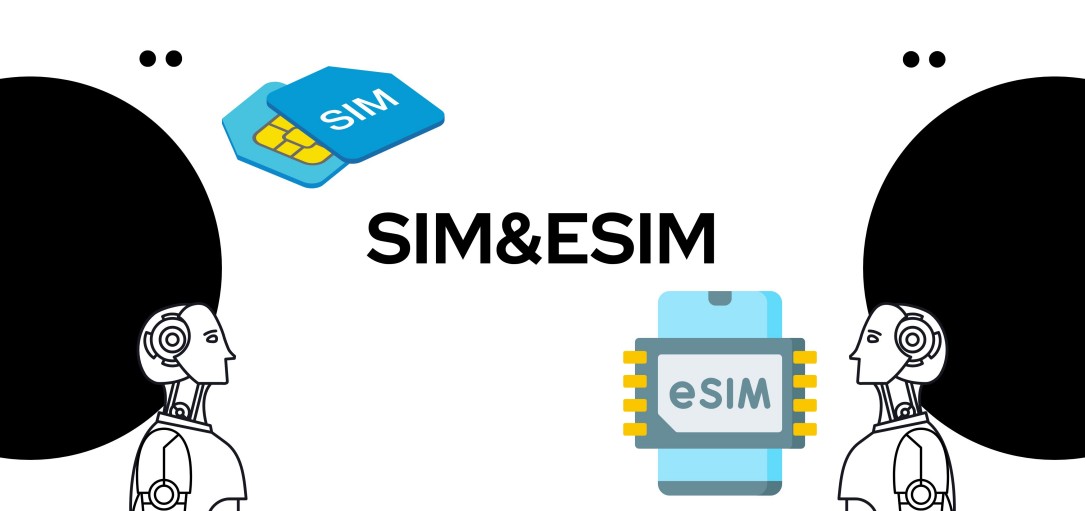
Google Pixel devices exemplify integrated SIM flexibility by offering a seamless dual-SIM setup combining a physical nano-SIM with an eSIM, or dual active eSIMs on recent models like the Pixel 8 and 9 series. This architecture allows users to switch carriers or add international data plans without physically swapping cards, directly through the settings menu. The Pixel’s implementation prioritizes practical user control, enabling quick activation of a second line for work or travel while keeping a primary physical SIM slot as a fallback. This design provides unmatched carrier adaptability without compromising the device’s dust or water resistance, as no removable tray is required for eSIM-only configurations. The logical flow ensures the physical slot remains optional, reducing hardware dependency.
Mid-Range and Budget Phones with Digital SIM Support
For a budget-conscious user, an esim compatible device in the mid-range and budget tier usually means a secondary slot, not a replacement for a physical tray. Many affordable phones like the Google Pixel 7a or Samsung A-series let you use a digital SIM for a travel plan while keeping your physical number active. The key limitation is that these cheaper phones rarely support dual active eSIMs—you’ll typically juggle one eSIM and one physical card.
Check the phone’s spec sheet for “dual SIM, one eSIM” support, or you might grab a model that locks the eSIM to a carrier.
For practical use, this setup is great for adding a cheap data-only plan abroad without swapping physical cards, but don’t expect the flexibility of a flagship eSIM system like managing multiple profiles seamlessly.
Motorola’s Entry-Level Models Offering Dual Connectivity

Motorola’s entry-level models, such as the Moto G Play (2024) and Moto G Stylus 5G (2023), offer dual connectivity by combining a physical nano-SIM slot with an embedded eSIM. This allows users to run two separate lines—such as a personal and work number—without sacrificing the phone’s single physical tray. The eSIM is managed through a straightforward setup in the device settings, making it accessible for budget-conscious users. This dual SIM eSIM capability enables seamless switching between carriers or data plans, providing flexibility without requiring a premium handset.
Motorola’s entry-level models support dual connectivity through a physical SIM and eSIM, enabling affordable dual-line usage.
OnePlus Nord and Other Affordable Options with eSIM
The OnePlus Nord series, including models like the OnePlus Nord 2T and Nord N300, offers accessible eSIM support, allowing users to activate a digital SIM without a physical card. Alternatives such as the Google Pixel 6a and Samsung Galaxy A54 also provide dual SIM functionality, combining a physical SIM with an affordable eSIM smartphone. These devices enable easy switching between carriers or adding a travel line directly from settings, making eSIM practical for budget-conscious users.
Xiaomi’s Transition to Software-Based SIM Profiles
Xiaomi’s transition to software-based SIM profiles eliminates the need for a physical eSIM chip. Instead, users activate a digital profile directly through the device’s settings, enabling seamless switching between carriers. This approach allows Xiaomi to embed software-defined eSIM functionality into mid-range and budget phones without hardware changes. For users, setup involves a straightforward sequence:
- Navigate to the « Mobile Network » settings.
- Select « Add Carrier » and scan a QR code from your provider.
- Confirm activation to instantly enable the digital SIM.
This method streamlines dual-SIM management, letting you toggle between a physical card and a downloaded profile without needing a store visit or tool.
Wearables and Smartwatches That Rely on eSIM
Wearables and smartwatches that rely on eSIM are standalone eSIM compatible devices that do not require a physical SIM card for cellular connectivity. Users activate a mobile plan directly on the watch, allowing calls, texts, and data without a paired phone nearby. This is essential for fitness trackers and LTE smartwatches used during runs or swims. The embedded eSIM is pre-soldered, so switching carriers requires remote provisioning instead of swapping a card. Battery life is a practical concern, as constant cellular use drains faster than Bluetooth tethering. These smartwatches with eSIM are ideal for those who want to leave their smartphone at home while staying connected.
Apple Watch Series That Operate Without a Physical SIM
The Apple Watch Series that operate without a physical SIM let you leave your iPhone behind while staying connected. These models, starting from Series 5 onward, use an embedded eSIM for cellular data, making setup as simple as scanning a carrier QR code. You get call, text, and app access directly from your wrist. Standalone Apple Watch connectivity means streaming music, using Maps, or sending iMessages without your phone nearby. Here’s what they offer:
- Family Setup lets you pair a watch to your own iPhone for a child or relative, each with its own eSIM number.
- eSIM activation is handled right in the Watch app—no plastic SIM card to insert or swap.
- Battery life is designed for a full day, even with the cellular radio active during workouts or outings.
Samsung Galaxy Watch Models with Standalone Cellular Plans
Select Samsung Galaxy Watch models, including the Galaxy Watch 5 Pro, Galaxy Watch 6 Classic, and Galaxy Watch 7, feature an integrated eSIM that enables a standalone cellular plan for Samsung Galaxy Watch models. This eliminates the need for a paired smartphone to make calls, stream music, or receive notifications. Users activate the eSIM through their carrier, assigning a separate number or using a shared number plan (e.g., NumberSync). The watch’s LTE modem then manages data and voice independently, supporting apps like Spotify or Google Maps without tethering. Ensure your carrier lists the specific model as compatible before purchasing the standalone plan.
Fitbit and Garmin Devices with Built-In Connectivity
Fitbit and Garmin devices with built-in connectivity use eSIM technology to enable phone-free operation. Garmin’s Forerunner 945 LTE and Venu 2 Plus allow users to stream music, receive notifications, and share location via a cellular plan stored on the eSIM, without carrying their smartphone. Fitbit’s Sense 2 and Versa 4 similarly utilize eSIM for on-wrist calls, messaging, and voice assistant commands. A key aspect of these devices is standalone cellular operation, which ensures features like emergency SOS and real-time tracking remain functional during workouts without a tethered phone. Both brands require activating a separate data plan through supported carriers to unlock this embedded connectivity.
Laptops, Tablets, and Other Portable Gadgets

Many modern laptops, tablets, and portable gadgets now integrate eSIM slots, allowing you to activate a cellular data plan without a physical SIM card. This is particularly useful for ultra-thin devices where a physical slot would compromise design. For frequent travelers, an eSIM enables instant switching between local carriers through a settings menu, avoiding the need to carry multiple physical SIMs or risk losing them. Some Windows laptops and iPads support dual SIM functionality, combining an eSIM with a physical SIM for seamless connectivity. Tablets with eSIMs often allow you to share a single data plan with your smartphone, though compatibility varies by carrier. Portable hotspots and LTE-equipped Chromebooks frequently rely on eSIMs for their compact form factors, but you must verify that the eSIM profile is not locked to a specific provider. Remember that not all eSIM-compatible devices support every carrier’s profile, so check your gadget’s compatibility list before purchasing a plan.
Microsoft Surface Pro and Always-Connected PCs
The Microsoft Surface Pro and Always-Connected PCs, often powered by ARM processors, integrate eSIM technology to provide persistent mobile broadband without physical SIM cards. These devices use the eSIM to switch between cellular networks, enabling instant connectivity for cloud storage, remote desktop access, and real-time collaboration directly from the tablet form factor. Users can activate a data plan via the device’s settings, ideal for professionals needing reliable internet in transit. The always-on LTE connectivity ensures the Surface Pro remains online for email sync and app updates, even when Wi-Fi is unavailable, preserving battery life during background tasks.
eSIM in Microsoft Surface Pro and Always-Connected PCs offers seamless, always-on mobile data for productivity without physical SIM swapping.
iPad Pro and iPad Air Models with Cellular Options
iPad Pro (3rd generation and later) and iPad Air (4th generation and later) with cellular options feature built-in eSIM technology, eliminating the need for a physical SIM card. These devices support dual eSIM activation, allowing users to maintain a primary plan while adding a temporary data plan for travel. The eSIM-compatible iPad Pro and iPad Air enable instant carrier switching via Settings, without swapping physical cards.
- Store up to eight eSIM profiles, with two active simultaneously
- Activate cellular service directly through the device’s Cellular Data menu
- Use for standalone 5G connectivity without tethering to a phone
Chromebooks Designed for Mobile Data Without a Physical Card
Certain modern Chromebooks now support eSIM for mobile data, allowing you to activate a cellular plan directly on the device without hunting for a physical SIM card. This is perfect for students or remote workers who need instant, flexible connectivity in areas with weak Wi-Fi. You choose a carrier and plan through ChromeOS settings, and the eSIM profile downloads in seconds. For frequent travelers, switching between a local data eSIM and your home provider becomes a simple toggle. Some models even support dual connectivity, letting you maintain a primary eSIM while a secondary profile handles specific apps, all without ever touching a plastic card.
How to Check If Your Current Device Supports eSIM
To verify if your current device supports eSIM, first navigate to Settings > About Phone and look for an « eSIM » or « Digital SIM » status entry. On iPhones, check Settings > General > About for a « Carrier Services » or « eSIM » section. Alternatively, dial *#06#; if an EID (Embedded Identity Document) number appears, your hardware is eSIM-capable. For laptops or tablets, search your system for « Cellular » or « Mobile Network » settings—if an « Add eSIM » option exists, you are ready. A key insight:
Any IMEI you find here does not confirm eSIM support; you must specifically look for the EID, which is unique to eSIM-compatible modules.
Finally, consult your manufacturer’s official device specifications list, filtering by « eSIM » to confirm your exact model variant.
Locating the IMEI Number for eSIM Compatibility
To check for eSIM compatibility, you’ll first need to dig up your device’s IMEI number. On most iPhones, dial *#06# to see it pop up instantly on screen. For Android phones, peek under *Settings > About Phone > Status*; the IMEI is often listed there alongside an “EID” number, which confirms eSIM-ready hardware. Samsung users can also check *Settings > Connections > SIM Card Manager*. Some carriers let you type that IMEI into their website for instant compatibility confirmation. If you still have the original box, the IMEI is printed on the sticker label. Always double-check that the IMEI you grab is the one under *IMEI (Slot 1)*—the eSIM uses that specific identifier.
Using Manufacturer Settings to Verify Digital SIM Readiness
To verify Digital SIM Readiness, dive into your device’s settings menu instead of relying on vague carrier claims. Navigate to “About Phone” or “General,” then tap “Status” or “About”—look for a dedicated entry like eSIM readiness indicator or “Digital SIM” under IMEI details. If you see a second IMEI or an “Add eSIM” option in Cellular or Mobile Data settings, your hardware is already prepared. Some manufacturers bury this under “SIM Card Settings” or “Connections,” so explore every submenu. This direct method confirms compatibility instantly, letting you skip guesswork and move straight to activating a digital plan.
Carrier Compatibility Lists for Seamless Activation
Before assuming eSIM functionality, consult carrier compatibility lists for seamless activation. These lists, provided by mobile operators, specify exact device models and firmware versions that their network supports for eSIM provisioning. They differ from universal device support, as a phone may be eSIM-capable hardware-wise yet blocked on a given carrier due to profile deployment restrictions. Cross-referencing your device’s IMEI against the carrier’s online checker ensures that activation will proceed without profile download failures. Some carriers also list required APN settings or minimum OS versions to enable activation.
| Carrier | List Access Method | Key Check Requirement |
|---|---|---|
| Operator A | IMEI lookup on portal | Device model + firmware version |
| Operator B | PDF of approved models | Regional network band compatibility |
| Operator C | In-app eSIM eligibility tool | Unlocked status confirmation |
Regional Variations and Network Restrictions
When using an eSIM-compatible device, regional variations and network restrictions directly impact which carrier profiles you can download and activate. A single device model often ships with different eSIM firmware based on its intended market; a phone bought in Japan may permanently lock out eSIM profiles from carriers in Europe due to region-coded basebands. Additionally, some carriers enforce network-level restrictions that tie an eSIM to a specific local network slice, preventing the device from connecting to partner towers abroad even after installing a valid roaming profile.
Always verify your device’s eSIM region code in the settings menu before purchasing a travel plan—an incompatible regional variant can render the profile unusable.
Check whether your carrier requires a specific IMEI range or firmware version; mismatches here are a common cause of failed activations.
Why Some Markets Have Limited eSIM Deployment
In some markets, eSIM deployment is limited because local carriers haven’t fully integrated the technology with their network infrastructure. This means your eSIM-compatible device might not activate properly, even if the phone supports it. The main hiccup is outdated carrier backend systems that can’t handle digital profiles. For example, you might face these practical barriers:
- Your carrier only supports physical SIM activations in-store, with no online eSIM provisioning option.
- The network requires a tethering step that eSIMs can’t complete, forcing you to use a plastic SIM instead.
Bottom line: even with a compatible phone, you’re stuck if the local network isn’t ready for eSIM handoffs.
Carrier Locked vs. Unlocked Devices in Different Countries
A carrier-locked eSIM device restricts you to a specific provider’s network, which severely limits flexibility when traveling. In countries like Japan and the United States, locked devices are common, often preventing you from adding a local eSIM profile until the device is unlocked. Conversely, in European Union nations, regulatory practices make fully unlocked eSIM devices the standard, allowing instant switching between regional profiles. Carrier-locked eSIM restrictions in different countries therefore dictate whether you can use a local data plan immediately or must first request an unlock. Q: Can I use a local eSIM on a carrier-locked phone abroad? A: No—unless the phone is unlocked, the eSIM slot is typically tied to the original carrier’s network, blocking third-party profiles.
Future Expansion of Digital SIM Across Emerging Regions
As digital SIM technology rolls out across emerging regions, compatible devices will increasingly serve as gateways to connectivity bypassing traditional infrastructure. Travelers to these areas can already purchase local data plans remotely, activating them on arrival via a QR scan, eliminating physical SIM hunting. Local compatibility is expanding, meaning a single eSIM-compatible phone might hold multiple regional profiles for frictionless cross-border use. Scalable local network access emerges as the primary benefit, with devices storing provider profiles for village or peri-urban zones often underserved by conventional carriers.
Will my current eSIM device automatically detect regional carriers in emerging regions? Not automatically; you must manually download a compatible regional profile from a provider covering that specific zone before traveling for seamless activation.
Upcoming Devices and Trends in Embedded SIM Adoption
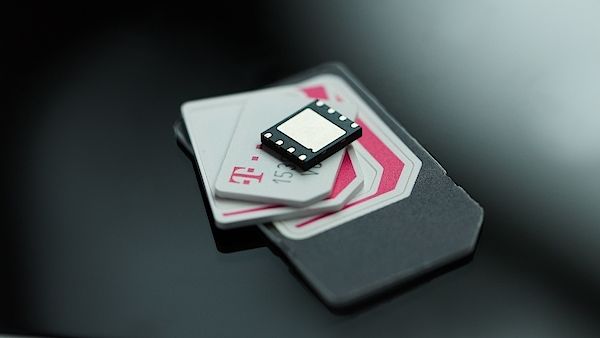
The next wave of esim compatible devices will see embedded SIM technology become a standard feature in ultra-thin laptops, flagship smartphones, and even wearable health monitors. A key trend is the shift towards consumer eSIM for remote provisioning, allowing instant carrier switching without a physical card. In the coming year, expect upcoming devices like ruggedized tablets and connected vehicles to ship with eSIM as the primary SIM slot, eliminating the need for any physical SIM tray. This adoption streamlines device design for better water resistance and frees up internal space for larger batteries or advanced sensors, making multi-device connectivity seamless out of the box.
Expected Flagships with Enhanced eSIM Features in 2025
For 2025, expected flagships with enhanced eSIM features will prioritize multi-profile eSIM management directly from the device interface. Users can anticipate seamless switching between up to ten digital profiles without physical SIMs, alongside native dual eSIM support for active data use on two networks simultaneously. Flagships like the Samsung Galaxy S25 Ultra and iPhone 17 Pro are expected to include improved eSIM activation via QR code scanning and carrier app integration, while also offering enhanced fallback to physical SIMs for regions with limited eSIM support.
Dual eSIM Slots Becoming Standard in New Models
New flagship and mid-range devices now commonly integrate dual eSIM slots becoming standard, allowing users to activate two separate mobile plans without any physical SIM card. This eliminates the need for a nano-SIM tray entirely, enabling seamless switching between personal and work profiles or leveraging local data plans while traveling. Each eSIM operates independently, supporting concurrent standby on different networks. Users manage both profiles through a unified interface, with clear labeling for calls and data. This design simplifies device construction, improves water resistance, and frees internal space for larger batteries or enhanced cooling systems, delivering a streamlined, multi-network experience directly from the device settings.
Automotive and IoT Devices Expanding the eSIM Ecosystem
Automotive and IoT devices are expanding the eSIM ecosystem by embedding remote SIM provisioning directly into vehicles and smart sensors. Modern cars use eSIMs for always-on telematics, over-the-air updates, and integrated Wi-Fi hotspots, while IoT endpoints like industrial trackers and smart meters leverage the same eUICC standard for seamless operator switching. This eliminates physical SIM swaps for fleet management or agricultural monitors spanning multiple regions.
- Integrated eSIMs in connected cars enable real-time emergency call services (eCall) without user intervention.
- Smart city sensors use eSIM profiles to autonomously switch carriers based on coverage or cost.
- Aftermarket OBD-II dongles with eSIMs provide plug-and-play vehicle tracking with remote profile management.